For those of you who are interested I have provided information below on how to disable this feature. Of course you assume all responsibility and liability by doing this. With that said, let's get started!
THROTTLE CALIBRATION 101
(This should work on all Dodge- Charger, Challenger and Magnum<>Chrysler- 300/300C<> 2.7L & 3.5L With ESP)
- Make sure your ESP button is off before doing the next 3 steps!
- Put key to On position and wait for dash lights and bells to turn off (Seat belt light will stay on!)
- Quickly with a decent amount of force tap your fuel pedal to the floor and release your foot as to let the pedal snap back up.
- Immediately after releasing the pedal, cycle the key back to the Lock position, turn key forward and start the car.
This will bring your throttle response back to life and your car will be much more fun to drive. I do this at least 3 times a week to keep the computer in sync. If your car reverts back to original throttle settings, just apply the 4 Step process above. Remember I don't assume any responsibility or liability for doing this. Also, to note I have not had any negative issues related to doing this calibration.

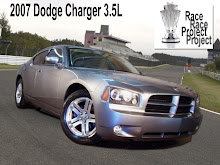


Tried the throttle calibration trick and it worked like a charm!
ReplyDeleteThanks Man!
Tom
It actually works. Thanks for the tip.
ReplyDeleteIs there a way to reset this back, its a good idea for me because of the snow and ice we get here in the winter.
ReplyDeleteHave you found a way to reset this?
Deleteyes...
DeleteStep 3. Slowly depress the peddle all the way to the floor, count to 3 and slowly raise it back to a resting position.
or
Let the Computer re-sync to normal over time.
Thank you for the info. It sounds pretty user friendly. I guess I’ll pick one up for fun. thank u
ReplyDeleteHi, probably our entry may be off topic but anyways, I have been surfing around your blog and it looks very professional. It’s obvious you know your topic and you appear fervent about it. I’m developing a fresh blog plus I’m struggling to make it look good, as well as offer the best quality content. I have learned much at your web site and also I anticipate alot more articles and will be coming back soon. Thank you.
ReplyDelete